Does Transport Fever 3 Feel Unfinished? How to Assess Its Current State
Transport Fever 3 still has unresolved issues and planned improvements, but “unfinished” combines several different complaints. Check whether your concern is a documented defect, a change being worked on, or a feature you wish existed. Then match it to your platform and installed build. A patch that fixes one category does not settle the others.
Checked 10 October 2026. The status snapshot below records published changes and unresolved items, not a personal playtest. The decision method is editorial guidance.
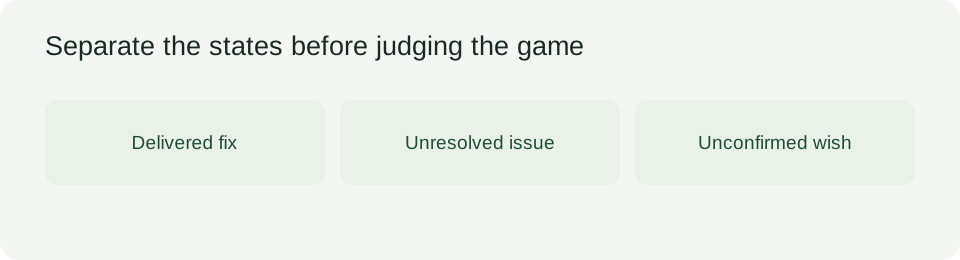
Separate delivered changes from work still ahead
The initial desktop release is dated 29 September 2026: build 40408 for Steam and 40393 for Epic and GOG. Steam build 40420 is dated 8 October 2026. Those build labels identify releases; subtracting them would not measure how much of the game is complete.
Download the dated status table and blank review row. On a phone, swipe the table sideways.
| Item | Date | Scope | Recorded state | What this establishes | What remains to check |
|---|---|---|---|---|---|
| Initial desktop release | 29 Sep 2026 | Steam 40408; Epic/GOG 40393 | Released | A dated starting build | Your installed build |
| Construction-menu error from faulty mods | 8 Oct 2026 | Steam 40420 | Fix listed | A specific error received a fix | Whether your own case matches it |
| Stop terminal assignment on modded asymmetric streets | 8 Oct 2026 | Steam 40420 | Fix listed | A particular assignment problem was addressed | Street mod and installed build |
| PC saves downloaded through Mod Hub on consoles | Checked 10 Oct 2026 | PlayStation/Xbox | Unavailable; compatibility planned after launch | An unresolved platform limitation | A later confirmed availability change |
| Controller softlock in empty construction menus | Checked 10 Oct 2026 | PlayStation/Xbox | Listed issue; save and reload workaround | An issue and a workaround, not a completed fix | Whether the affected action works afterward |
| Fewer clicks, clearer localization and Mod Hub improvements | 8 Oct 2026 | Improvement work announced | Work planned or investigated | These concerns are acknowledged | Delivery date and exact implemented behavior |
A row marked “checked” records the observation date, not the date a bug began. “Fix listed” also differs from “verified in your save.” Preserve that distinction when comparing an older complaint with a newer build.
Why players can disagree without describing the same problem
Wanting a clearer future roadmap and wanting today's construction action to work are different requests. A game can receive a concrete repair while leaving its long-term feature direction uncertain. Conversely, uncertainty about future features does not prove that every current feature is broken.
For your own assessment, write the obstacle as an action: “I cannot use this save on this platform,” “this menu gets stuck,” or “I want an option that is not available.” The first two can be checked against a bounded behavior. The last needs a feature decision, not a successful bug retest.
There are competing expectations about continued development. Some players want a clearer statement of future features; others treat the released design as the baseline and expect mainly repairs. Neither expectation establishes a delivery commitment. An absent promise is not proof of permanent refusal, and a general improvement statement is not a promise of your preferred feature.
This distinction matters when you decide to wait. A reproducible obstacle gives you a specific condition to revisit. A broad hope can keep moving indefinitely. Record the feature you require and leave its status unconfirmed until an actual release changes it.
Check the platform before transferring a verdict
The 8 October announcement describes the update as available for Steam on PC, Mac and Linux, with GOG and Epic rollout to follow and future console updates. That announcement is a dated rollout statement, not confirmation of what is installed on every store today.
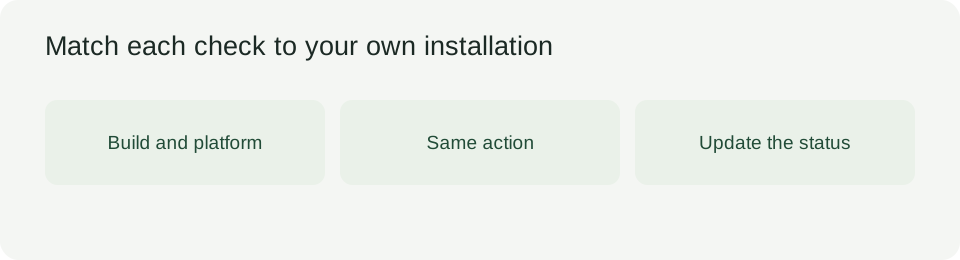
Check the version in your own installation before comparing results. A Steam desktop fix cannot establish that the same behavior changed on a console. Similarly, a mod-related error needs the relevant mod context; it does not demonstrate that an unmodified save has the same problem.
Use a separate copy of a save when examining an uncertain behavior. Record the action, build, platform and relevant mods before drawing conclusions. If the symptom disappears, narrow the result to that action under those conditions. Do not turn it into a claim that the whole game is finished.
Keep a status record that survives the next update
The CSV includes the dated snapshot above and an empty row for your observation. Copy this additional review header into your notes:
Check date,Platform,Installed build,Relevant mods,Exact action,Expected behavior,Observed behavior,Published status,Local result,Next check condition
Leave an unknown field blank. The snapshot contains no completion percentage, invented testing results or estimate of when unresolved work will ship.
For an acknowledged issue, your next check condition can be a build that explicitly addresses it. For a requested feature, it can be a release that actually adds it. For a disliked design choice, use the existing gameplay expectations guide; changing a build number alone does not change your preference.
Does this prove Transport Fever 3 was rushed?
No. Unresolved issues and subsequent repairs describe the released game's state; they do not establish why the release was scheduled when it was. Keep that motive question separate from the observable question of whether your required activity works today.
If an unresolved requirement prevents the project you want to build, waiting is a reasonable editorial recommendation. Name the requirement and its next check condition. If the requirement is already met, judge the present experience without treating all improvement work as evidence that you cannot enjoy it.
The useful endpoint is a specific status you can revise: a particular action works, remains blocked, or awaits an unconfirmed feature. That gives your next visit a purpose and leaves room for evidence to change your verdict.
For an assessment of network-building and repeated management work, read our Transport Fever 3 review.
Before applying these observations to a purchase or platform, check the Transport Fever 3 release date record against the store you intend to use.