Should You Buy Transport Fever 3? A Pre-Purchase Checklist
Transport Fever 3 is worth considering if you want to plan transport networks and enjoy revising freight transfers as your network grows. Wait if your purchase depends on a particular mod, vehicle or promised update that you have not checked. The useful question is whether the tasks you will repeat match the way you like to play.
Reviewed 8 October 2026. This is an editorial decision guide, not a personal playtest, a price comparison or a guarantee about a future update.
Start with the purchase condition you cannot compromise on
Copy this table or download the blank purchase checklist. Record evidence for your own platform and current build. Blank cells mean you have more checking to do; they do not mean a feature is absent.
| Purchase condition | What to check | What counts as useful evidence | Your decision |
|---|---|---|---|
| I enjoy revising freight transfers | Warehouse placement and cargo handling | A complete transfer task, including storage and the onward journey | Accept / investigate / essential |
| I want a particular mod | The exact item and required dependencies | A compatible listing for my platform and game build | Available / unverified |
| I prefer gradual city expansion | The pace I want and the settings I would use | A comparable play session, not just an impressive city image | Fits / needs checking |
| I want to manage vehicles and lines | The actions needed to compare and adjust them | The management workflow rather than a feature count | Appealing / not appealing |
| I need a specific vehicle or feature | Its current availability | The actual item, not an expectation of a later addition | Present / unverified |
Why opposite reactions can both make sense
A larger, faster-growing city can be exciting if you enjoy scaling a network. It can feel intrusive if you prefer to finish a compact layout before expanding. Those preferences ask for different experiences. Neither tells you, by itself, whether the game fits your evenings.
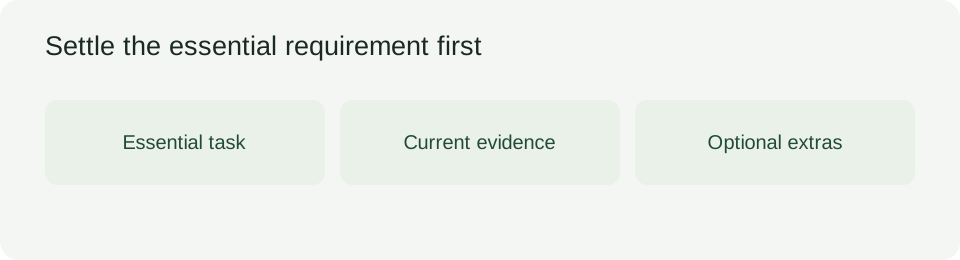
Our recommendation is to write down the activity you want to spend most of a session doing. If that activity is improving connections under changing demand, expansion may be welcome. If it is polishing a settled scene, investigate the available controls before buying. Avoid borrowing someone else's verdict when the activity behind it differs from yours.
Separate the warehouse mechanism from the layout preference
Warehouses store and transfer cargo between transport modes. They can exchange cargo with vehicles when within a station's catchment, without requiring a road connection. Buildings and factories still need transport to receive or send goods; a nearby warehouse does not deliver its inventory to them automatically.
Universal storage accepts a mix of cargo. Specialized modules restrict the cargo they hold, while stopping its delivery timer and improving loading and unloading. A module's storage role and a station's loading role deserve separate checks.
You may understand those mechanics and still prefer storage integrated into a station. Or you may value an independent transfer object. That disagreement is a layout preference, not proof that either player misunderstood everything. Before purchasing, ask which arrangement you would willingly use repeatedly. A system can be functional without becoming your favorite part of a session.
Use a complete journey as your comparison: incoming vehicle, transfer storage, outgoing service, destination. If the extra planning is the attraction, it supports your purchase. If you would buy only on the assumption that it disappears later, leave that assumption out of the decision.
Check a required mod by identity, not by the existence of a Mod Hub
The Mod Hub supports browsing and subscribing to content. Unique mod identifiers and dependency detection help manage collections. These conveniences do not establish that the particular item you need is available or compatible.
Our suggested check is simple: name the indispensable item, find its current listing, inspect platform and dependency requirements, then record anything unresolved. Do not substitute a similar-looking item without checking the function you need. An attractive collection is optional if the base game already fits you; an unavailable essential item is a reason to postpone a decision.
Treat migration as another separate question. An existing collection from an earlier game is not automatically a working collection here. Verify the items that make your preferred style possible before allowing the rest of the feature list to persuade you.
Make a decision you can explain
Vehicle comparison includes more than speed and capacity: loading speed, comfort, noise and pollution also matter. Line-management tools help adjust stops and organize services. Consider whether you enjoy making those choices rather than merely collecting the newest vehicles.
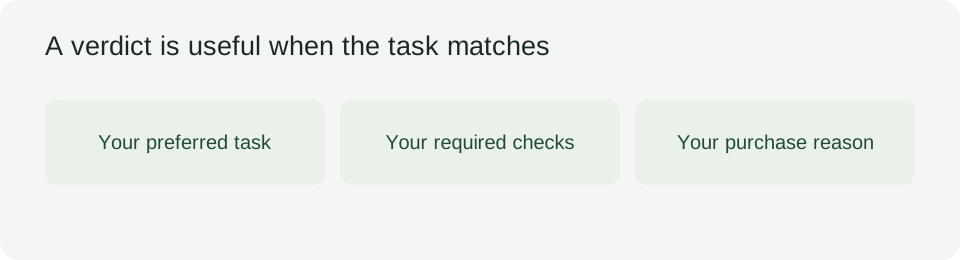
We recommend separating essentials from bonuses in the worksheet. A failed essential should stay visible even when several bonuses look appealing. Conversely, an optional annoyance need not outweigh the activity you most want to do. This is a decision rule, not a numerical rating of the game.
Write the reason in a sentence: “I want to spend my next sessions doing this task, and I have checked the requirements that make it possible.” If you cannot finish that sentence without relying on a future fix, wait for evidence about that fix rather than treating it as already delivered.
So how is the game before purchasing?
The practical answer depends on your fit with repeated network planning, transfer handling and growth. Investigate those tasks before deciding. Use the checklist to settle your essential questions, then choose on current evidence rather than an imagined later version.
For a mechanism comparison, read what changed between the games. If your purchase decision is already settled and you are building routes, use the route-cost worksheet. This page's job ends when you know what still needs checking before you buy.
For release and store status, use the Release date check.
For an assessment of network-building and repeated management work, read our Transport Fever 3 review.
Can I run Transport Fever 3?
If your Windows PC falls below any listed minimum, resolve that mismatch before buying; use the recommended tier as the stronger published comparison, not as a frame-rate guarantee.
| Check | Published minimum | Published recommended |
|---|---|---|
| Operating system | Windows 10 (64-bit) or Windows 11 | Windows 11 |
| Processor | Intel Core i5-8400 or AMD Ryzen 5 2600X; AVX2 required | Intel Core i7-13700K or AMD Ryzen 7 7800X3D; AVX2 required |
| Memory | 8 GB RAM | 16 GB RAM |
| Graphics | GTX 1060 / RX 480 / Arc A380; 4 GB VRAM | RTX 3070 / RX 6800 / Arc A770; 8 GB VRAM |
| Storage | SSD with 90 GB available | SSD with 90 GB available |
- Open Windows Settings > System > About for your CPU, RAM and Windows version; check Task Manager > Performance > GPU for the graphics model and dedicated memory, then check the intended drive's free space and SSD type.
- Compare every row above, verify AVX2 support in your processor manufacturer's specifications, and put each mismatch into the purchase checklist: Requirement → Current evidence → Unresolved question → Decision. Use the Platform and Game build fields to keep unlike configurations separate.
Hardware tiers: official Steam requirements, read October 22, 2026. Checklist field relationship: our existing purchase-checklist.csv. These are published specifications and an editorial checking method, not our own hardware benchmark. A matching specification does not establish performance in your save.
Before applying these observations to a purchase or platform, check the Transport Fever 3 release date record against the store you intend to use.